A moodboard where
anything can become 3D,
on your own machine.
Drop your references on the board, beside the objects they turn into. Any card becomes a gaussian splat or a textured mesh, on your own graphics card. No cloud. Nothing uploaded. Ever.
14-day free trial, then $39 for life.
From inspiration to 3D.
Gather every reference you have in one place: photographs, screenshots, images you liked.
When one of them has to become a 3D object, you just select it on the board. LocalMesh turns it straight into a splat or a mesh, with no manual modelling, no asset library and no changing tools.
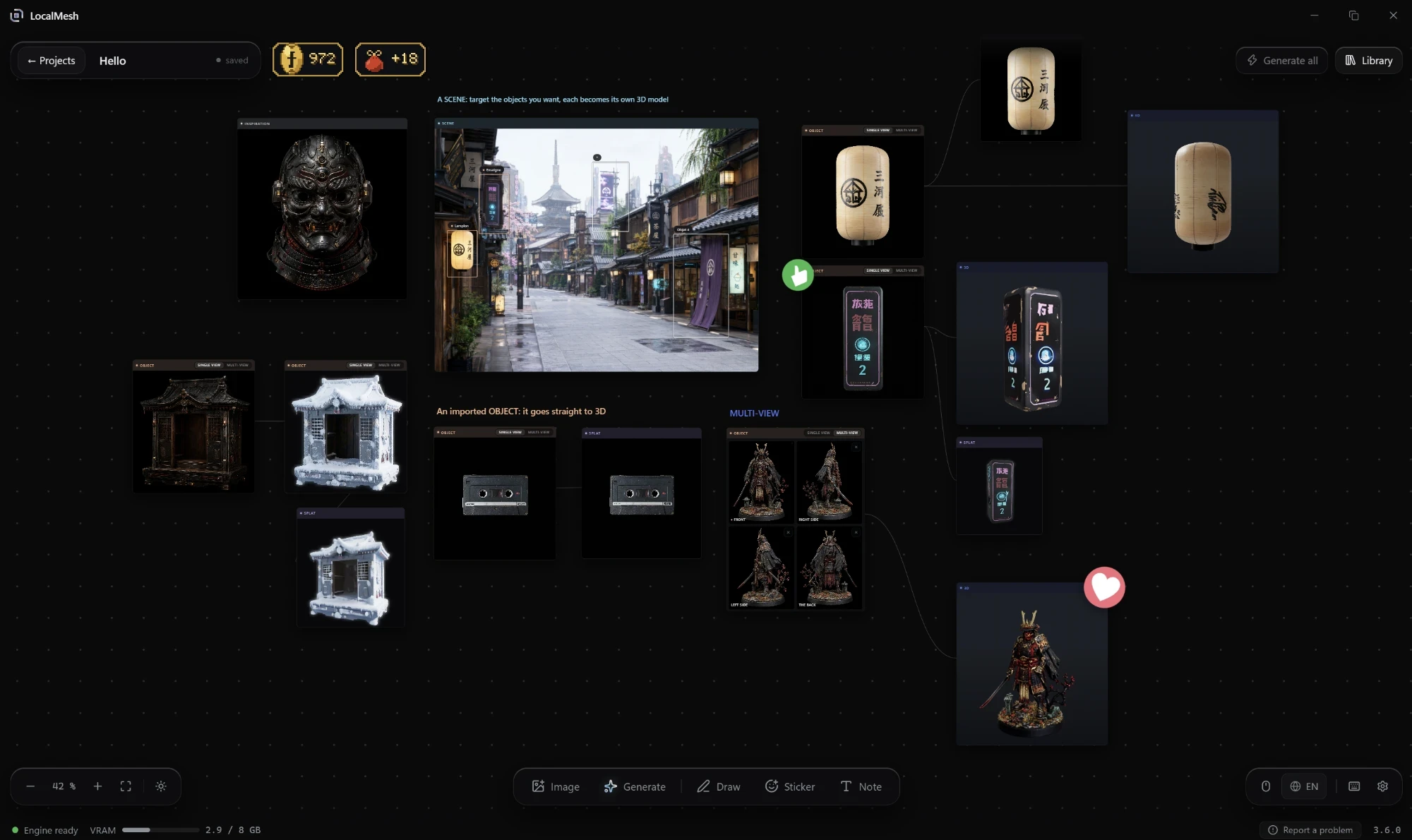
One image. Three ways to see it.
A flat photo becomes a navigable Gaussian splat, or a clean textured mesh, reconstructed on your own machine.

The back is seen, not invented.
A generator that works from one image has to guess everything it cannot see, and the far side of your object is a guess. Give LocalMesh the right, the left and the back as well, and it stops guessing: the four photographs are fused on a single grid, and the back of the object is built from your photograph of the back.
The image you were missing.
A good 3D reconstruction wants the object clearly visible, well framed and evenly lit. In a real scene it is more often seen at an angle, surrounded by other things, or catching reflections.
So LocalMesh isolates the object you picked, keeps its appearance, and straightens the perspective to produce an image the reconstruction can work from.
About twenty seconds on a laptop RTX 4060, the smallest card LocalMesh runs on. On your own machine, with nothing sent to the cloud.
The object, alone at last
A slight three-quarter angle on black, so the reconstruction sees depth instead of inventing it. No real photograph gives you that shot.
Or simply write a sentence
No photograph at all? Describe what you want and the studio makes you something to start from. Words to image to mesh, every step of it on your own card.
A wand that never destroys
Dawn, golden hour, night, rain or snow on a scene. Brand new, worn, rusted or overgrown on an object. The variant is born beside the original, linked by a thread, so you can rework it before you spend a splat on it.
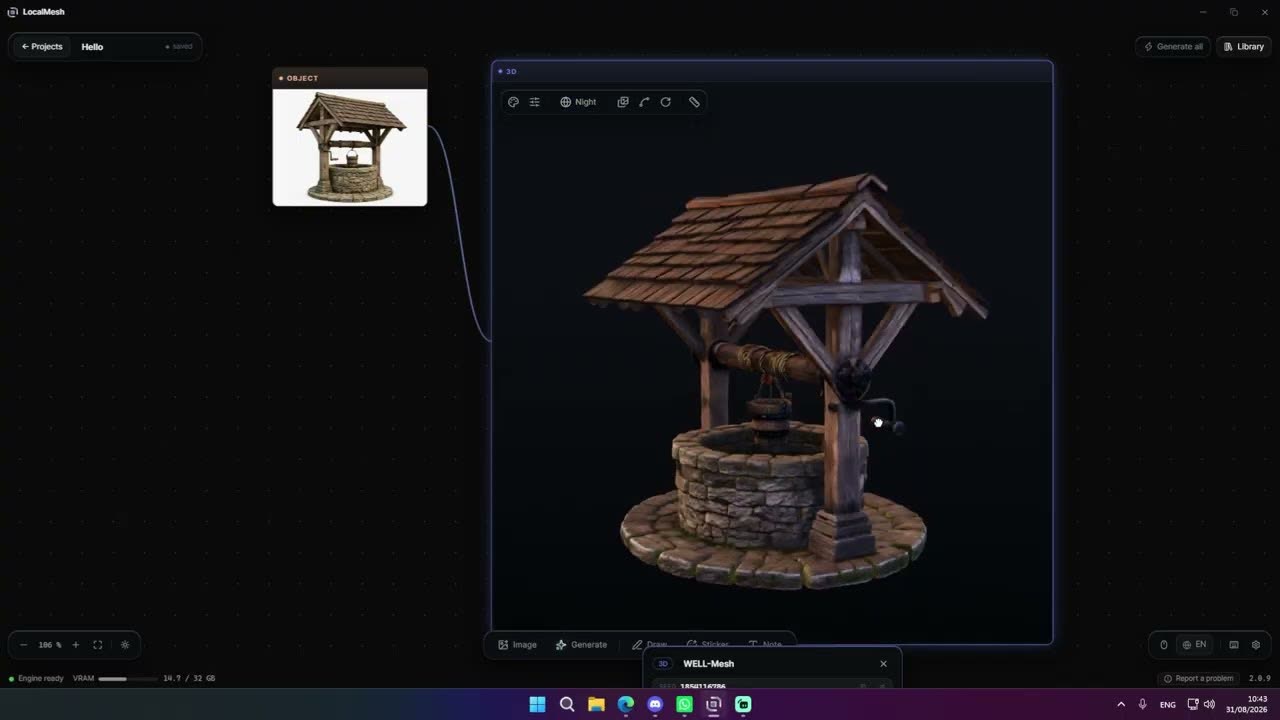
Watch it actually happen.
A reference image, an object pulled out of it, a finished mesh, and the controls that matter along the way.
Your photograph never leaves your computer.
Most 3D generators run in the cloud: you send an image, a server does the work, then you fetch the result.
LocalMesh works differently. The models are downloaded once, and after that everything runs directly on your own graphics card.
You can work offline, on a closed network, or under an NDA.
Your images, your meshes and your files stay on your machine. Nothing is sent to an outside server.
- TripoSplat4.5 GB
- LocalMesh Engine (mesh generation)9.2 GB
- FLUX.2 Klein (the image studio)5.2 GB
- Python runtime6.6 GB
The engine is open.
The part that turns your photograph into a mesh is published on GitHub under Apache 2.0, and its weights on Hugging Face. Read it, run it without LocalMesh, build on it. What stays ours is the studio around it: the board, the library, the image studio and the viewer.
An asset, ready to use.
Textures that react to your light
Colour and roughness travel as separate channels, so matte stays matte and glossy stays glossy. In Blender, in Unreal, in your own renderer. Metal is left neutral: the model guesses it badly, and we would rather not guess for you.
Quads when you ask for them
Rebuild in quads and you get a clean OBJ to sculpt, to subdivide, to animate. The GLB stays in triangles, which is what the format carries.
The splat itself
Export the gaussian splat as .ply and open it in Postshot, SuperSplat or Blender. It is a deliverable, not just an intermediate step.
How the gaussian splat generator worksA 4K texture
The object comes out with a texture 4096 pixels on a side. That is the default: there is nothing to switch on.
A predictable triangle count
150 000 triangles by default, 250 000 if you step up one level. You know what lands in your scene before you press go.
Your files, on your disk
OBJ, GLB, STL and PLY, named by you, in a folder you chose.
What we do, what we don't.
| LocalMesh | Online generators | |
|---|---|---|
| Where the work happens | Your graphics card | Their servers |
| Your images | Never leave the machine | Uploaded |
| Cost per generation | None | Credits |
| Works offline | Yes | No |
| Environmental cost | Your own PC | Server farms running 24/7 |
| Several photographs of one object | Yes | No |
| Separate PBR maps | Colour and roughness | Often colour only |
| Quad output | Yes | Rarely |
| Gaussian splat export | Yes | No |
| Making the image you lack | Built in, on your card | A second subscription |
| Hardware needed | NVIDIA GPU, 8 GB recommended | A browser |
| Operating system | Windows | Any |
No surprises after the download.
What you need
Windows 10 or 11, an NVIDIA graphics card, and room on disk: the installer is 239 MB, but the models it fetches on first launch settle at around 27 GB and want 38 GB free while they land. LocalMesh is built for 8 GB of video memory; it installs and runs on smaller cards, where a subject too heavy is handled one level down rather than forced through.
Where it is today
LocalMesh is at 3.6.7, and it has not slowed down: fixes and new work ship in days rather than quarters. Every release explains itself inside the app, in plain language, on its own page. Read the whole history.
Your licence
One key runs one machine at a time. Moving to another computer releases the first, no reinstall, no support ticket. 14 days free, then one payment of $39: the key is perpetual, it never stops opening the app, with unlimited generations and commercial use, and a year of updates included. After that year nothing is taken away; another year of updates costs $39 if you want it. You buy directly inside the launcher.
What the software sends back
LocalMesh reports which steps ran, whether they worked, how long they took, and the category of the error when one fails. No images, no file names, no settings, and nothing about your machine. Your photos never leave it.
Straight answers.
Your photographs and the generation never need it: everything is computed on your own card. The licence itself checks in once a day. Offline beyond that, LocalMesh asks you to reconnect before it opens again.
No. There is no server to upload them to. Everything happens on your graphics card.
It needs an NVIDIA card, on Windows 10 or 11. LocalMesh is built for 8 GB of video memory and is at its best there. Smaller cards install and run it: a subject too heavy for the card is never forced through, it is handled one level down.
Yes. The objects you generate are yours.
Meshes as OBJ, GLB and STL. Gaussian splats as .ply or .splat. Textures come out as a single atlas: colour and roughness.
Yes, it's even an ideal use case. Midjourney, FLUX or ChatGPT images are clean and well composed, exactly what single-image reconstruction likes.
Yes, since version 1.0. The image studio built into LocalMesh turns a sentence into an image on your own graphics card, and that image is what gets reconstructed. Underneath it is still single-image reconstruction, and still nothing leaves the machine.
Not today. Windows only.
English, French, Spanish, Japanese, Korean, Simplified Chinese, Hindi and Arabic.
Yes: FLUX.2 Klein, 5.2 GB, downloaded once alongside the others and compressed as it arrives. It shares your graphics card with the reconstruction engine rather than competing with it, hands its memory back after eight minutes without work, and wakes in about five seconds.
Nothing is taken away. Your key is perpetual: it keeps opening the app, with the version you have, for as long as you like. Another year of updates costs $39 if and when you want it.
Your photographs, your machine, your files.
Download it and put a photograph in. If it does not meet your expectations, you will know inside ten minutes.
14-day free trial, then $39 for life.